
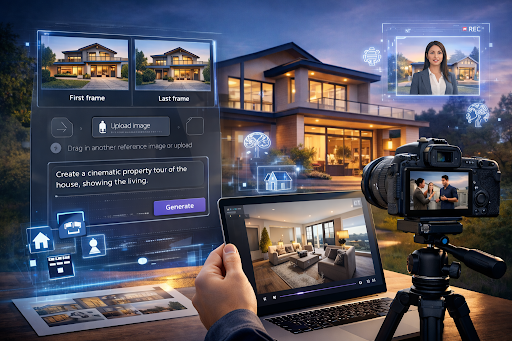
Buying or leasing property has changed. Most buyers now begin their search online, and video often shapes their first impression. According to Forbes, 73 percent of homeowners say they are more likely to list with an agent who uses video marketing. In a market where attention spans are short and competition is high, static photos are rarely enough.
Google Veo 3 AI introduces a new way to create immersive property tours using advanced text-to-video generation. Instead of coordinating large production teams, real estate professionals can turn scripts, floor plans, and listing descriptions into dynamic visual experiences. This article explains how to use Google Veo 3 AI for smarter property tours, stronger engagement, and faster decision-making.
What is the role of Google Veo 3 AI in property tours?
Google Veo 3 AI helps agents and developers convert written listing details into high-quality video content. By interpreting prompts, design notes, and scene descriptions, it can generate realistic property walkthroughs, neighborhood previews, and promotional clips.
For real estate marketing, this means you can:
- Transform listing descriptions into cinematic home tours
- Create short social media previews for new launches
- Build explainer videos for investment properties
- Develop office and commercial space walkthroughs
Instead of relying only on camera crews, you can script scenes such as sunrise views from a balcony or staged living rooms designed for family gatherings. The system generates visual sequences that reflect those ideas, helping viewers imagine themselves inside the space.
How Google Veo 3 AI supports real estate marketing
How does AI improve listing visibility?
Online platforms prioritize engaging content. Video increases time spent on listings, which signals value to search algorithms. Wikipedia notes that video marketing has become a central strategy for digital promotion across industries, including real estate.
With Google Veo 3 AI, you can create:
Social media listing teasers
- Concise vertical video content for Instagram Reels and YouTube Shorts
- Highlight clips showcasing kitchens, gardens, and office spaces
Full-length virtual walkthroughs
- Room-by-room transitions with guided narration
- Day and night lighting simulations
Local lifestyle previews
- Nearby parks, schools, and shopping areas
- Community features and outdoor amenities
These assets support multi-channel distribution without requiring separate production schedules for each format.
Can Google Veo 3 AI help sell homes faster?
Speed matters in competitive markets. Buyers often shortlist properties within minutes of browsing. A compelling video can move a property from “maybe” to “must visit.”
When used for Google Veo 3 AI home listing videos, agents can:
- Emphasize unique architecture in triple wide manufactures homes
- Present modern interior design concepts in staged apartments
- Visualize renovation potential in older houses
By scripting specific selling points such as energy-efficient windows or open concept kitchens, you guide the visual output toward what buyers care about most. This targeted storytelling can increase inquiry rates and scheduled visits.
How do you create a smart virtual tour?
Creating a virtual tour with Google Veo 3 AI starts with clarity. You need structured prompts and a defined narrative.
Step 1: Outline the property story
- Property type and size
- Key features and upgrades
- Target buyer profile
Step 2: Write scene prompts
Describe each room in detail. Mention textures, lighting, and purpose. For instance, “bright south-facing living room with floor-to-ceiling windows and natural oak flooring.”
Step 3: Generate and refine
Use iterative prompting to adjust camera angles, pacing, and transitions until the output aligns with your listing goals.
In practice, many professionals utilize Google Veo 3 AI state-of-the-art model inside AI platforms such as invideo to streamline editing and distribution. By using Google Veo 3 AI video model inside invideo, agents can generate property visuals, add voiceovers, and export ready-to-share tours in one workflow. This integrated approach also appeals to those exploring free AI video generator apps to test concepts before scaling production.
What makes AI tours different from standard videos?
Traditional property videos depend on physical staging and filming schedules. AI-driven tours allow simulation and customization before a property is fully ready.
With Google Veo 3 AI for virtual property tours, you can:
- Visualize furnished and unfurnished layouts
- Show renovation outcomes before construction begins
- Demonstrate office layouts for different team sizes
- Adapt tours for residential and commercial listings
This flexibility supports pre-launch campaigns for new developments. It also helps investors market properties that are still under construction.
How can agents use data-driven storytelling?
Buyers respond to information that feels concrete. To make the most of Google Veo 3 AI, align visuals with measurable buyer interests:
Highlight energy efficiency
- Solar panels and insulation ratings
- Smart home systems
Focus on lifestyle metrics
- Commute times to business hubs
- Proximity to schools and healthcare
Showcase ROI potential
- Rental yield projections
- Appreciation trends in the area
When your script integrates these elements, the resulting video becomes more than a walkthrough. It becomes an informed presentation.
Is Google Veo 3 AI suitable for commercial spaces?
Yes. Commercial real estate benefits from visual clarity. Office tenants want to see layout options, meeting areas, and collaborative zones.
Google Veo 3 AI can generate:
- Co-working floor plans with animated occupancy simulations
- Retail store walkthroughs with product placement examples
- Warehouse space visualizations with logistics flow diagrams
For brokers managing multiple listings, this approach reduces turnaround time while maintaining consistency in branding and presentation.
How should you optimize tours for search?
Search optimization goes beyond keywords. It includes metadata, structured descriptions, and distribution timing.
When publishing Google Veo 3 AI-generated tours:
- Use descriptive titles with location and property type
- Add keyword-rich but natural descriptions
- Embed videos on listing pages and blog content
- Share across social platforms with localized hashtags
Consistent video content can increase domain authority and organic reach, particularly when paired with informative blog posts and neighborhood guides.
Conclusion: Are smart property tours the future?
Smart property tours are becoming standard practice. Google Veo 3 AI allows real estate professionals to translate listing details into immersive digital experiences without complex production setups.
By combining structured prompts, clear buyer targeting, and multi-platform distribution, agents can create engaging tours that support faster decisions. As online research continues to dominate property searches, Google Veo 3 AI provides a practical path toward more interactive, data-informed real estate marketing.
The next step is simple. Identify one active listing, script its strongest features, and test a short AI-generated walkthrough. From there, refine and expand your video strategy.
Frequently Asked Questions
What is Google Veo 3 AI used for in real estate?
Google Veo 3 AI is used to create AI-generated property tours, listing videos, and promotional clips. It converts written descriptions into realistic video sequences, helping agents present homes, offices, and commercial spaces more dynamically.
Can AI-generated tours replace physical walkthroughs?
AI tours do not replace in-person visits, but they improve pre-visit engagement. Buyers can shortlist properties more efficiently after watching detailed virtual tours.
Is Google Veo 3 AI suitable for small agencies?
Yes. Small agencies can use it to produce consistent video content without hiring large production teams. This supports cost-effective digital marketing.
How long does it take to create a tour?
With structured prompts, an initial version can be generated within minutes. Refinement may take additional iterations depending on the detail and customization.
Can developers use it before construction finishes?
Yes. Developers can visualize finished interiors, exterior landscaping, and community amenities before project completion.
Does AI video improve listing engagement?
Video content generally increases time spent on listings and click-through rates. Well-structured AI tours can support higher inquiry volumes compared to static images alone.
 Arthur